All your customer messages, one inbox
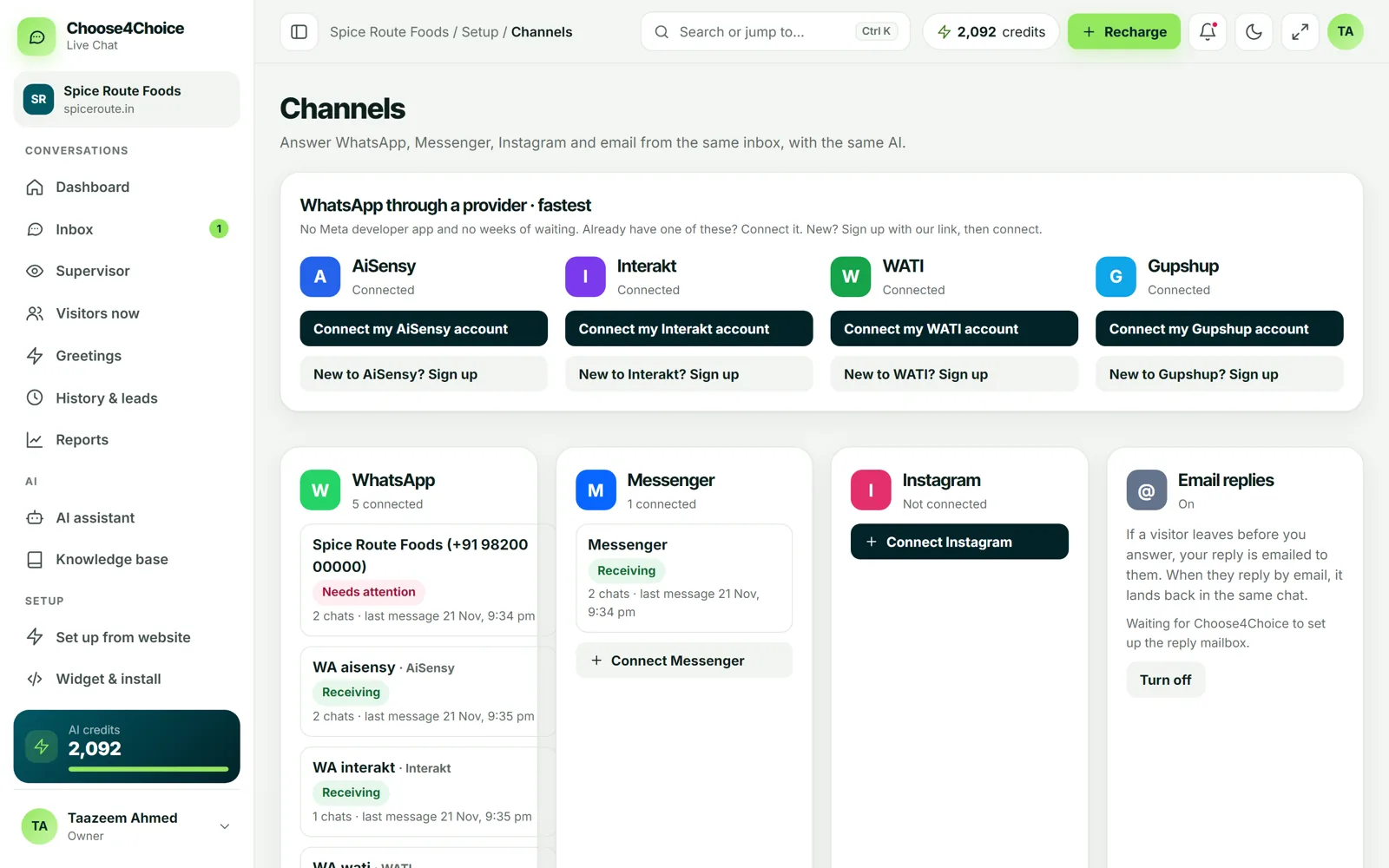
Connect WhatsApp, Facebook Messenger and Instagram to the same inbox as your website chat, and follow up by email when visitors leave. The AI can answer on every channel.

Website chat
Paste one line of code before </body>, or install the WordPress plugin. Works on Shopify, Wix, Webflow, WooCommerce and any HTML site.
Setup guide →WhatsApp (Meta Cloud API)
Connect your WhatsApp Business number directly through Meta's official Cloud API.
Setup guide →WhatsApp via a provider
Already using AiSensy, Interakt, WATI or Gupshup? Connect your account and reply from our inbox.
Setup guide →Facebook Messenger
Messages to your Facebook Page arrive in the inbox, with AI answers if you want them.
Setup guide →Email replies
If a visitor leaves before you answer, your reply is emailed to them. When they reply by email, it lands back in the same chat.
Setup guide →REST API & webhooks
Webhooks for new chats, messages, closed chats, leads, ratings and goals, ready for Zapier, Make, n8n or your CRM. Read data with the REST API.
Setup guide →JavaScript widget API
Open or close the chat, pass a logged-in customer's name and email, send a message, or record a sale as a goal from your own code.
Setup guide →One reply box for every channel
Whether a customer writes on your website, WhatsApp, Instagram or by email, you see the whole conversation in the same place and reply the same way. Notes, tags, transfers and reports work for every channel.

Set up in minutes
Each channel has a step-by-step guide in the Channels page of your dashboard, with a test button so you know it works before customers write.

Bring every conversation together
Free live chat for your whole team, plus 50 free AI chats. No credit card needed.